

What are Campaigns?
A Campaign is a named container that groups related short links together. Instead of viewing each link’s performance in isolation, campaigns let you measure the combined impact of an entire marketing effort — across emails, social posts, paid ads, and influencer channels — from a single view. Example: A product launch campaign might include:/launch-email— link in the announcement newsletter/launch-ig— link in the Instagram bio/launch-twitter— link shared on Twitter/X/launch-ad— link used in the paid ad campaign
Feature Overview
When to Use Campaigns
- Multi-channel product launches
- Seasonal promotions (Black Friday, end-of-year sales)
- Influencer marketing activations where each influencer gets a unique link
- A/B testing across channels (one link per channel, all in one campaign)
- Event promotions where the same event is promoted in multiple places
Creating a Campaign
1
Navigate to Campaigns
From your dashboard sidebar, click Campaigns.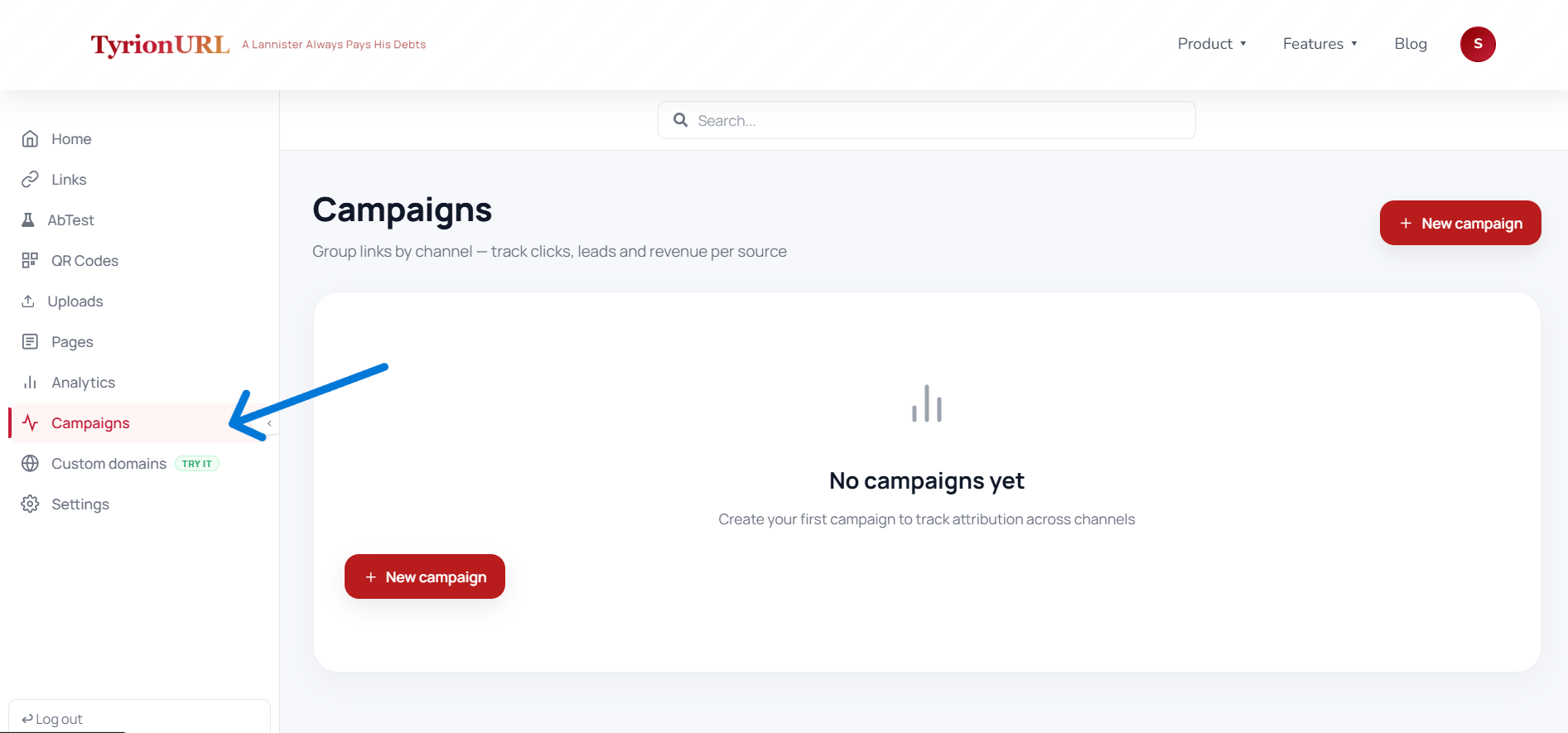
2
Click Create Campaign
Click the Create Campaign button in the top-right corner.
3
Name Your Campaign
Enter a descriptive campaign name. Good names reference the promotion, channel, or time period.Examples:
Summer Sale 2024Product Launch — JuneQ4 Email Series
4
Save the Campaign
Click Save. The campaign is now available to attach links to.
Adding Links to a Campaign
You can assign a link to a campaign in two ways:At Link Creation Time (Recommended)
When creating a new short link, select a campaign from the Campaign dropdown in the link creation panel.After Link Creation
- Open the link list and find the link you want to assign
- Click the
...action menu on the link - Select Assign to Campaign
- Choose the campaign from the dropdown
Viewing Campaign Performance
In the Campaigns section, each campaign card shows:
Click on a campaign to see a breakdown of performance per individual link within that campaign.
Campaign Status
Each campaign has a status that can be used for filtering and reporting:
Use the
/api/campaigns/:id/status endpoint to update campaign status programmatically.
Best Practices
Create the campaign before creating links so you can assign them at the time of creation rather than retroactively.
Use a consistent naming convention — include the channel, promotion type, and date (e.g.,
Email — Black Friday 2024).Give each channel or creative its own unique short link within a campaign so you can compare channel performance.
Mark campaigns as “Concluded” when a promotion ends to keep your active campaign list clean.
Common Mistakes
Related Pages
Analytics
Per-link and aggregate performance data.
URL Shortening
Creating the links that go into campaigns.
Custom Aliases
Naming links by channel within a campaign.
A/B Testing
Split traffic across variants within a campaign.