

What are Geo Heatmaps?
The Geographic Heatmap in TyrionURL overlays click density onto a world map, letting you see at a glance where your audience is concentrated. Darker or more intense regions indicate higher click volume. You can zoom into individual countries and view city-level breakdowns for precise geographic intelligence.Accessing the Geo Heatmap
1
Open Link Analytics
From your dashboard, click the Analytics icon on any link to open its analytics view.
2
Scroll to the Geographic Section
The geo heatmap and geographic breakdown are located in the Geography panel of the analytics dashboard.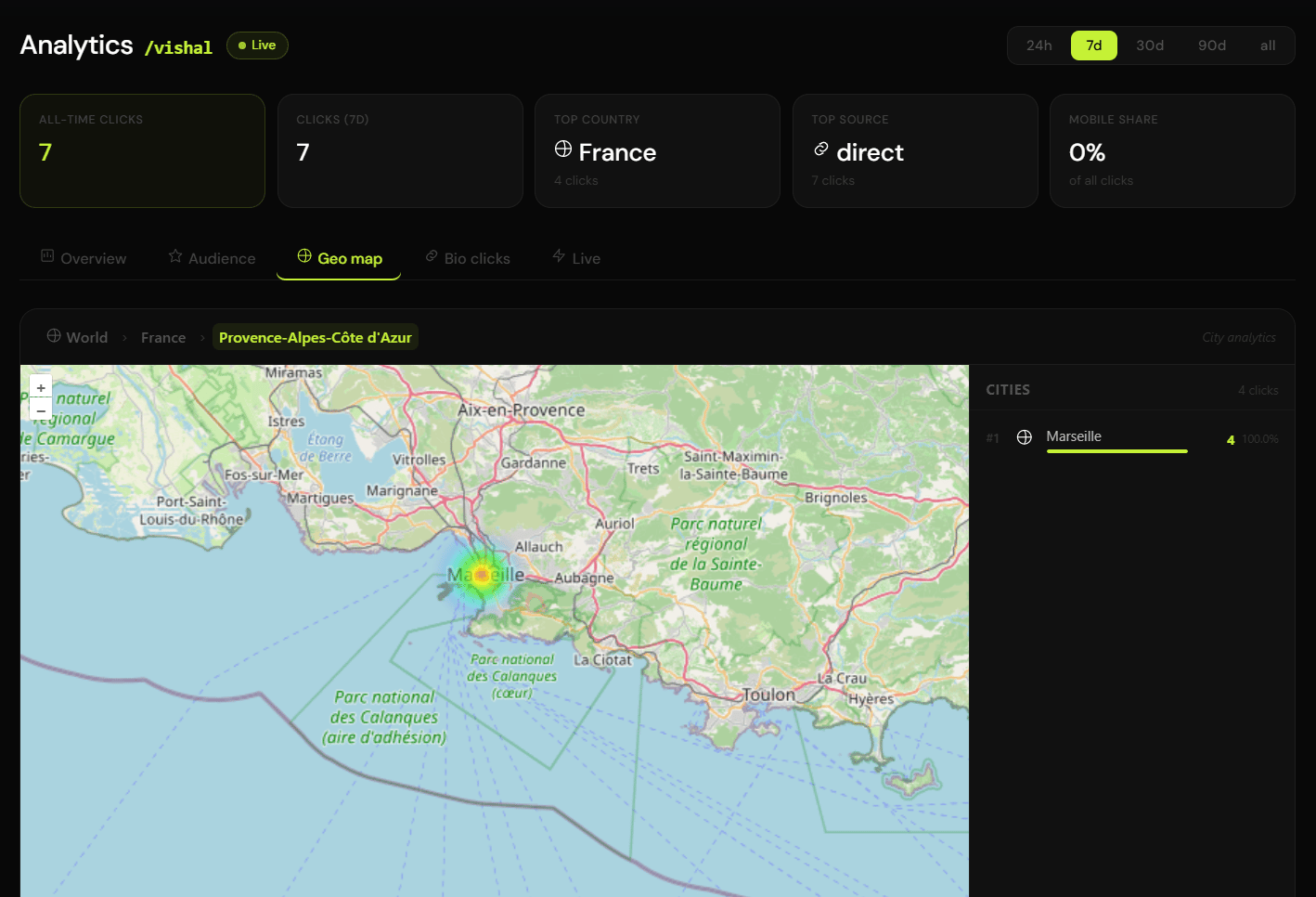
3
Explore the Map
- Hover over any region to see its click count
- Click a country to zoom in and see city-level data for that country
- Use the Country / City toggle to switch between views
Heatmap Views
Country-Level View
The default view shows click density across all countries. A data table alongside the map ranks countries by click volume:City-Level View
Switch to the city-level breakdown to see a more granular picture:- City name and country
- Click count and percentage
- Available for any country where city data has been captured
City-level data depends on the accuracy of IP geolocation. Rural or VPN traffic may be attributed to the nearest major city.
API Endpoints for Geographic Data
Geographic data is available via API for developer integrations:Use Cases
Validate geo-targeting of ads
Validate geo-targeting of ads
If your paid ads are targeted at a specific region, the heatmap should show a concentration there. A mismatch suggests your targeting or attribution setup needs review.
Identify organic international audiences
Identify organic international audiences
If a significant portion of your traffic is coming from an unexpected country, it may signal an organic opportunity worth pursuing (localized content, regional pricing, etc.).
Plan content localization
Plan content localization
High traffic from a non-English-speaking country is a signal to invest in localization for that market.
Measure event or campaign reach
Measure event or campaign reach
For regional campaigns (e.g., a local event, a country-specific promotion), the heatmap quickly shows whether your reach stayed within the intended region.
Best Practices
Compare geo data across multiple links in the same campaign to identify which channels drive the most geographically relevant traffic.
Filter by date range when evaluating geo impact for a specific campaign window.
Use city-level data for hyper-local campaigns (e.g., pop-up events, city-specific offers).
Common Mistakes
Related Pages
Analytics Dashboard
Full analytics overview including device and referrer data.
Live Traffic
Watch clicks arrive in real time.