

Dashboard Overview
The TyrionURL dashboard is your central workspace for creating, managing, and analyzing all your links. This guide covers each section so you can navigate confidently.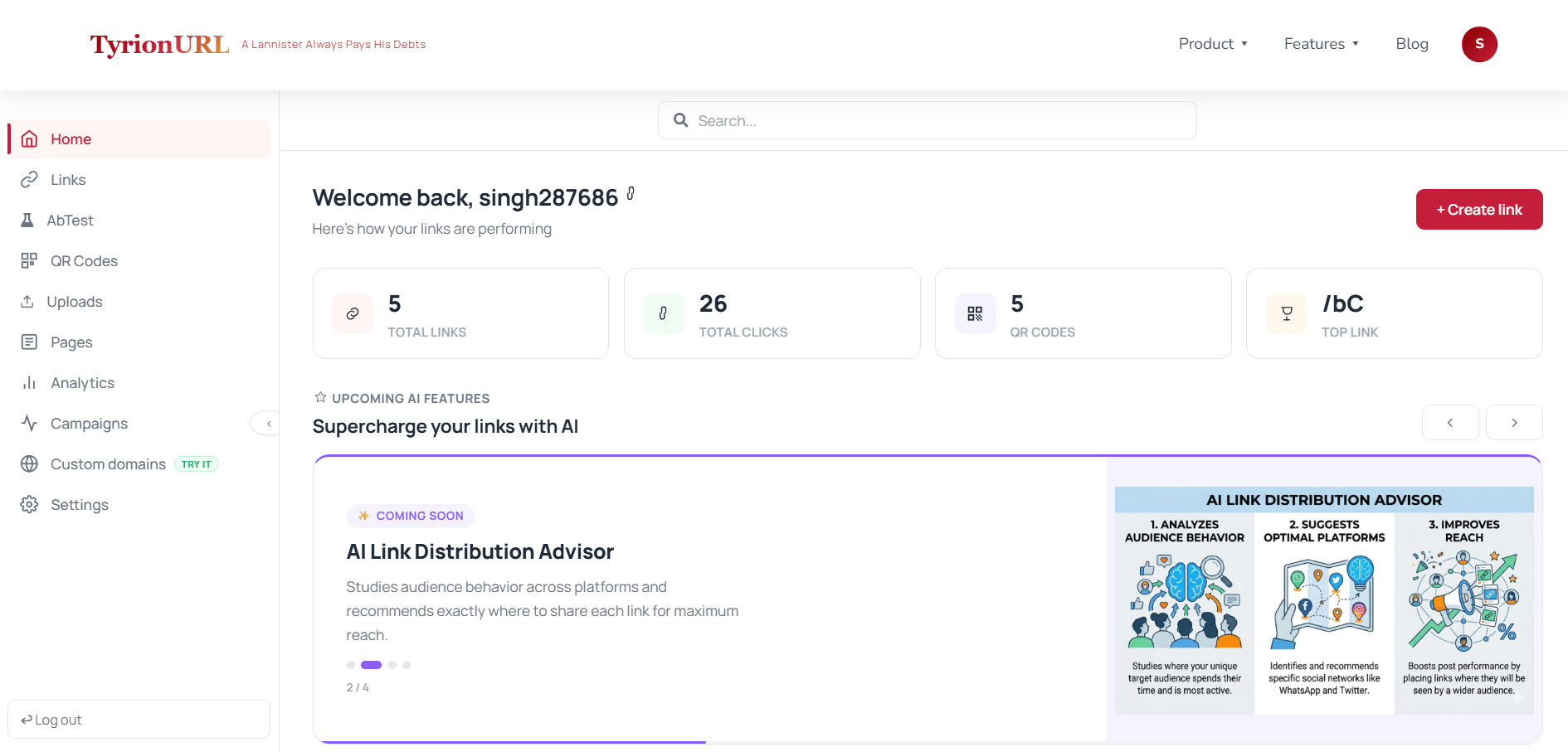
Main Navigation
The sidebar (or top navigation on mobile) gives you access to every major feature:The Link List
The core of your dashboard is the link list — a scrollable, searchable table of all your short links. Each link card shows:- Short URL with a quick-copy button
- Destination URL (truncated)
- Total click count
- Date created
- Status (active, password-protected, A/B test active)
Searching and Filtering
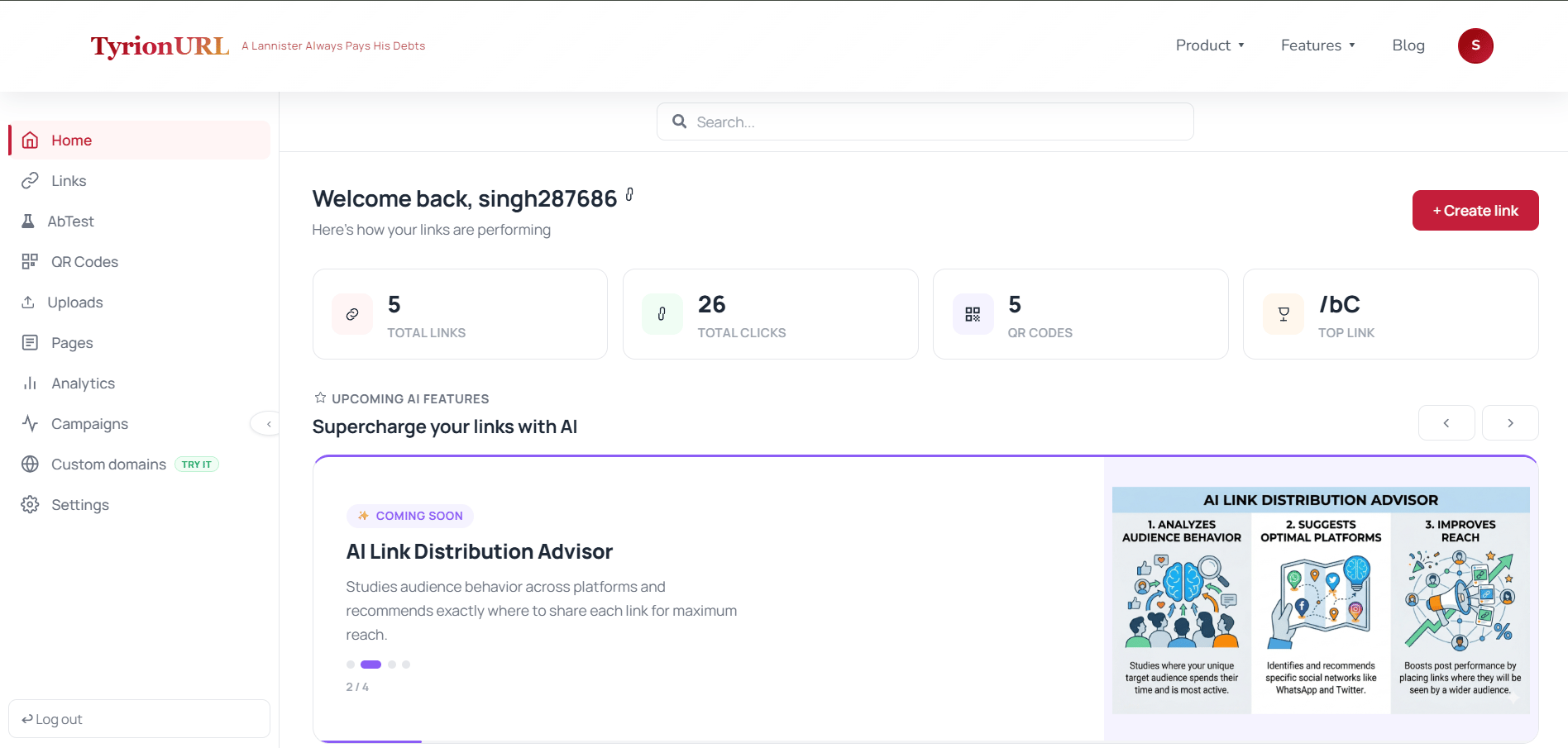
- Destination URL
- Custom alias or short code
- Campaign name
Quick Stats
At the top of the dashboard, summary cards show your account-wide performance at a glance:Creating a Link from the Dashboard
The URL shortener input is always available at the top of the dashboard. Paste a URL and click Shorten to create a new link instantly — or click Advanced to configure options before generating. → See: Creating Your First Short LinkAccessing Link Analytics
From any link in your list, click the link title or the Analytics icon to open that link’s analytics view. This takes you to the full analytics dashboard for that specific link. → See: Analytics DashboardSettings & Account Management
Click your profile icon or navigate to Settings to manage:- Account details — name, email, password
- API Keys — generate and revoke A/B testing integration keys
- Custom Domains — add and verify branded domains
- Billing — TODO: Needs Product Verification
Mobile Dashboard
TyrionURL is fully responsive. On mobile:- The sidebar collapses into a bottom navigation bar
- Link cards stack vertically with swipe actions for copy and analytics
- The URL shortener remains accessible at the top

Tips for Power Users
Use the search bar to quickly jump to any link by alias or destination domain.
Pin your most-used links to the top of the list for faster access (TODO: Needs Product Verification).
Open the live traffic monitor from the Analytics section when you’re launching something to watch clicks arrive in real time.
Create campaigns before creating links so you can assign them during link creation rather than retroactively.
Related Pages
Link Management
Organizing links at scale.
Campaigns
Grouping links for aggregate tracking.
Analytics
Deep-diving into link performance data.
Settings
Managing your account and API keys.