

What is Live Traffic Monitoring?
Live Traffic is a real-time click stream for any of your short links. Using Server-Sent Events (SSE), TyrionURL pushes each click to your browser the moment it’s recorded — no page refreshes required. This is especially useful during active promotions, product launches, or live broadcasts when you want to see immediate audience response.When to Use Live Traffic
- Product launches — Monitor the spike as your announcement goes live
- Live events — See real-time engagement as you mention a link on stage or in a stream
- Email sends — Watch the initial wave of clicks the moment your campaign lands
- Paid ad activation — Confirm traffic is flowing as soon as an ad goes live
- Troubleshooting — Verify a link is working correctly by watching for your own test click
Accessing Live Traffic
1
Open Link Analytics
From your dashboard, click the Analytics icon on the link you want to monitor.
2
Switch to the Live Tab
In the analytics view, click the Live tab at the top of the page.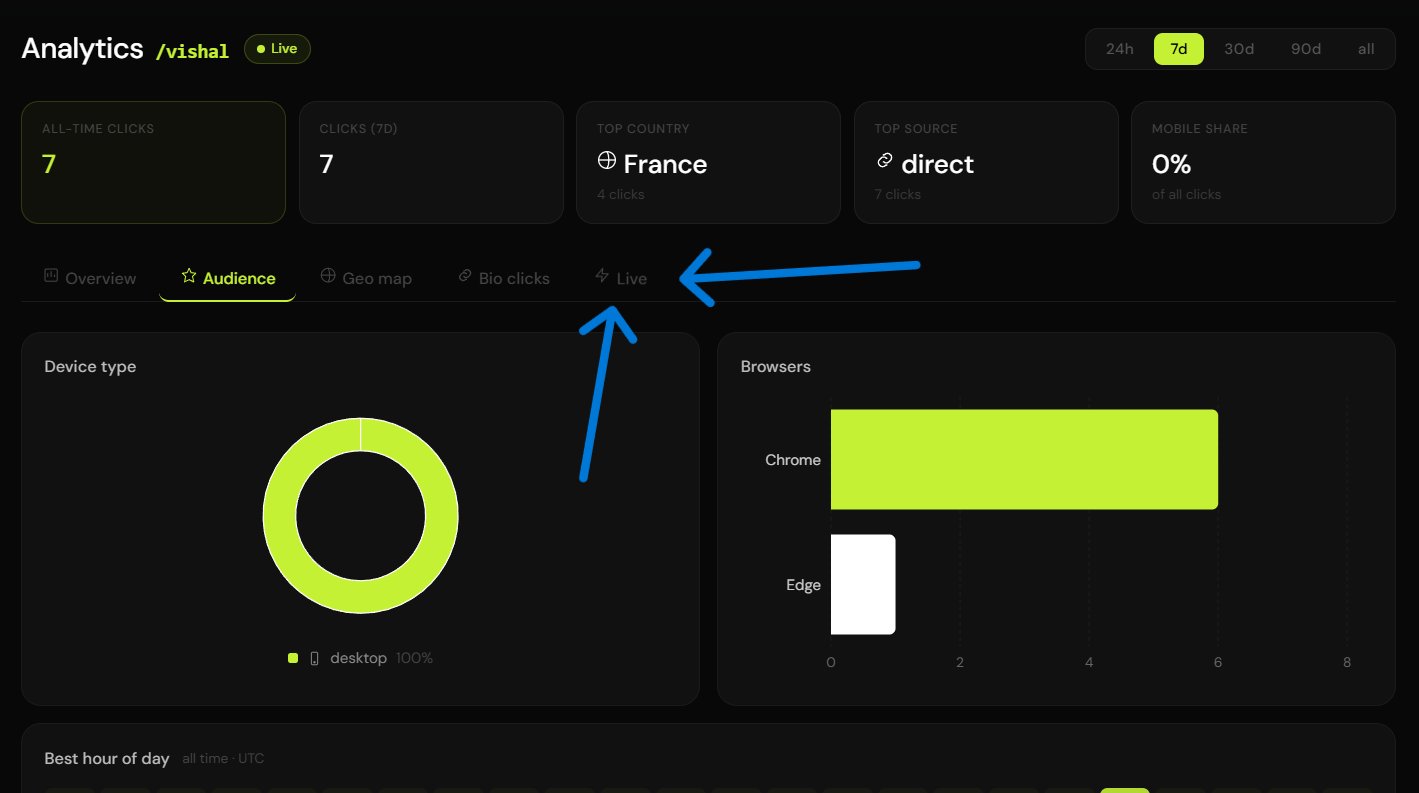
3
Watch the Feed
Each click appears in real time as a row in the live feed, showing: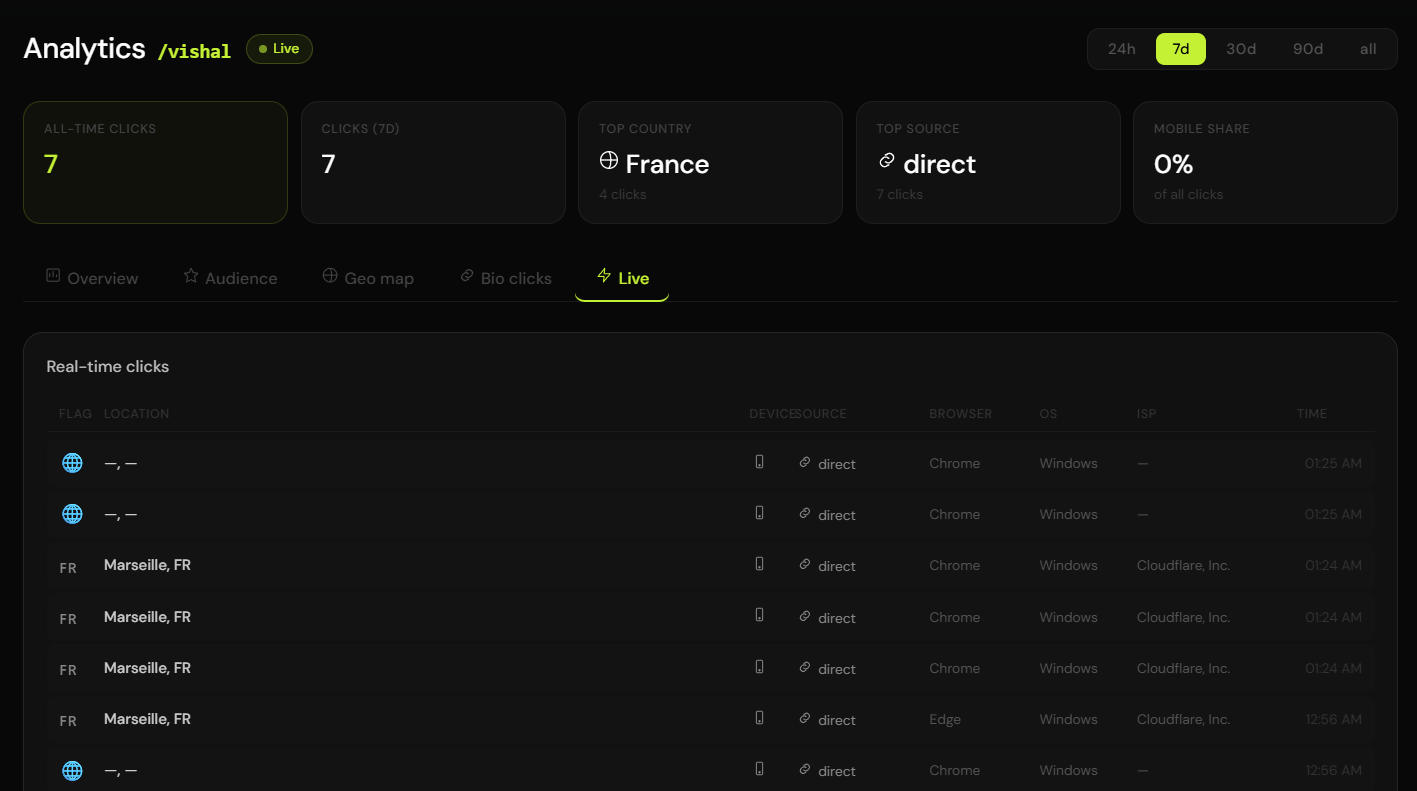
- Timestamp
- Country/city of origin
- Device type
- Referrer (when available)
How It Works (Technical)
Live traffic is powered by the Server-Sent Events (SSE) protocol. When you open the Live tab, your browser establishes a persistent connection to:SSE connections remain open for as long as the Live tab is active. Navigating away closes the connection. Your historical analytics data is unaffected.
Live Feed Event Data
Each event in the live feed includes:Best Practices
Open the Live tab a few minutes before your campaign goes live so you’re ready when the first clicks arrive.
Keep the browser tab open and avoid navigating away during active monitoring — the SSE connection closes when you leave the page.
Use Live traffic alongside your email send platform’s real-time open stats for a combined view of engagement.
Common Mistakes
Related Pages
Analytics Dashboard
Historical click data, charts, and device breakdowns.
Geo Heatmaps
Visualize where in the world your clicks are coming from.