> ## Documentation Index
> Fetch the complete documentation index at: https://docs.tyrionurl.com/llms.txt
> Use this file to discover all available pages before exploring further.
# Link Management
> Organize, search, and manage all your short links from a central dashboard.
## Overview
As you create more short links, effective organization becomes essential. TyrionURL's link management view gives you a searchable, filterable table of all your links — with quick access to analytics, editing, and deletion from a single interface.
***
## The Link List
The link list is the core of your TyrionURL workspace. It displays all short links associated with your account.
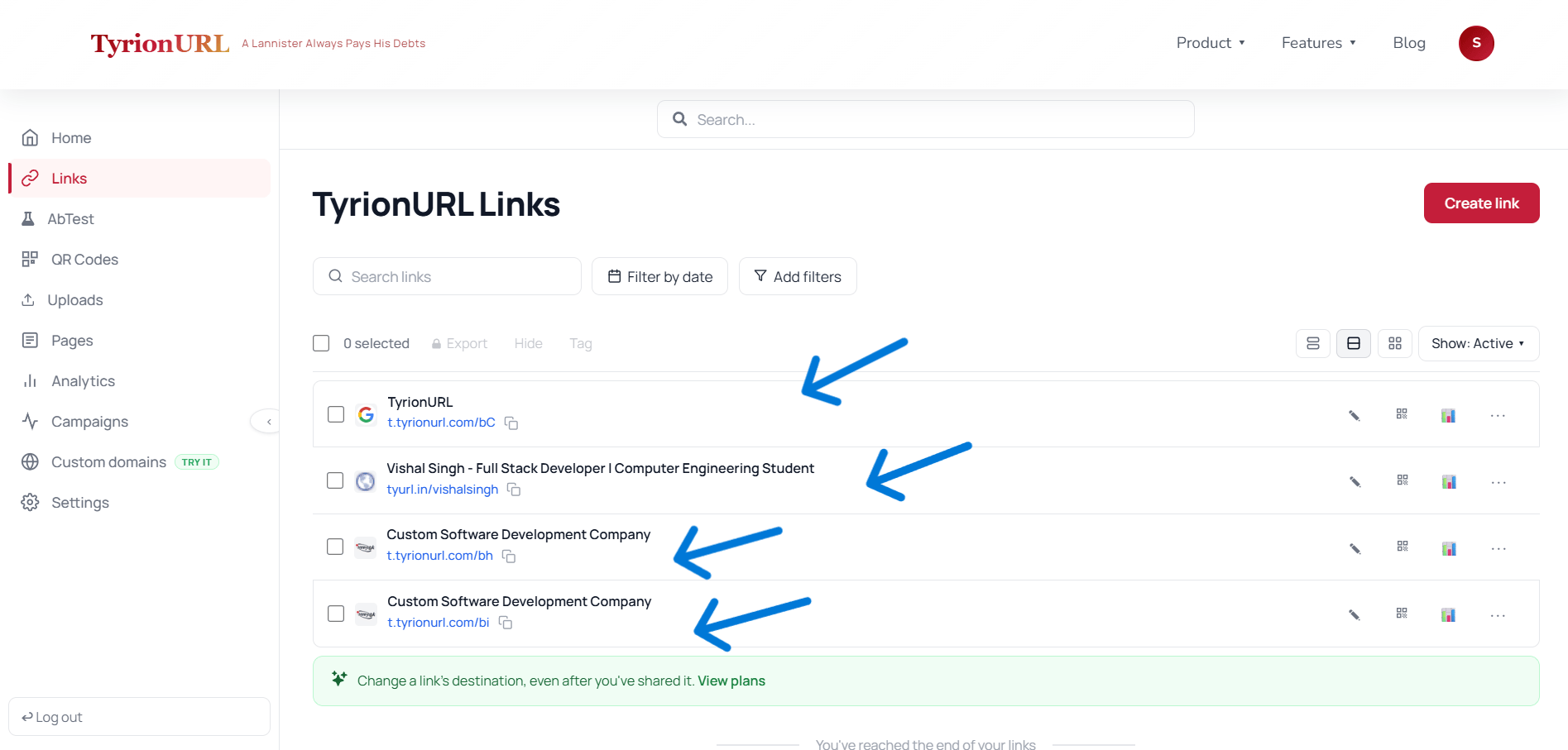 ### What Each Link Card Shows
| Field | Description |
| --------------------- | ------------------------------------------------------------------------- |
| **Short URL** | The `t.tyrionurl.com/alias` link with a one-click copy button |
| **Destination** | The target URL (truncated, with a hover tooltip showing the full address) |
| **Total Clicks** | Aggregate click count since link creation |
| **Created Date** | When the link was first generated |
| **Status Indicators** | Icons for password-protected, A/B test active, or campaign-assigned links |
***
## Searching and Filtering
Use the search bar to filter your link list in real time. You can search by:
* Short alias or short code
* Destination domain or URL
* Campaign name
### What Each Link Card Shows
| Field | Description |
| --------------------- | ------------------------------------------------------------------------- |
| **Short URL** | The `t.tyrionurl.com/alias` link with a one-click copy button |
| **Destination** | The target URL (truncated, with a hover tooltip showing the full address) |
| **Total Clicks** | Aggregate click count since link creation |
| **Created Date** | When the link was first generated |
| **Status Indicators** | Icons for password-protected, A/B test active, or campaign-assigned links |
***
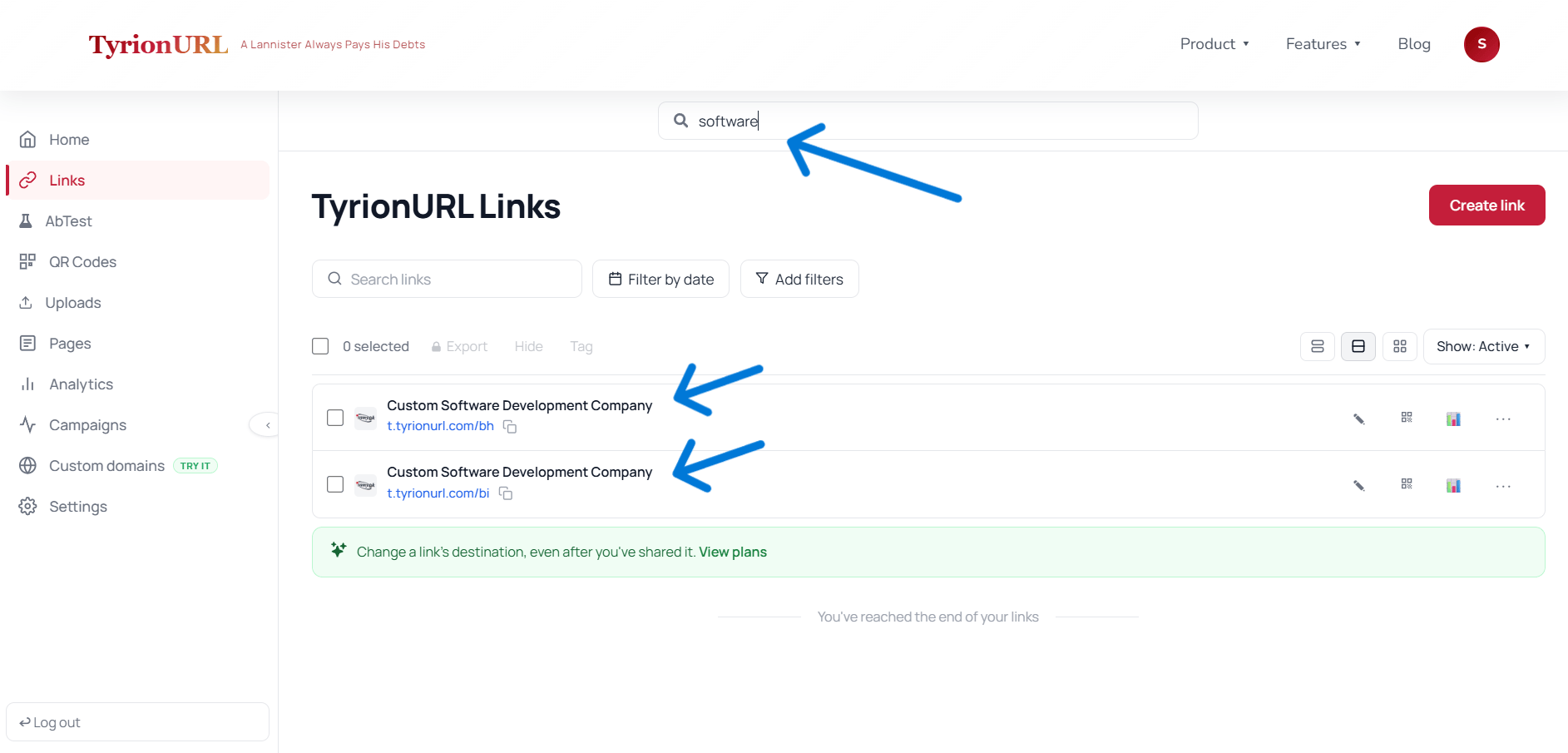
## Searching and Filtering
Use the search bar to filter your link list in real time. You can search by:
* Short alias or short code
* Destination domain or URL
* Campaign name
 ***
## Link Actions
Each link in the list has an action menu (accessible via the `...` icon or by clicking the link row):
| Action | What It Does |
| ---------------------- | ---------------------------------------------------- |
| **Copy Link** | Copies the short URL to clipboard |
| **View Analytics** | Opens the analytics dashboard for this specific link |
| **Edit** | Modify destination URL, alias, or settings |
| **Enable A/B Test** | Set up traffic splitting for this link |
| **Assign to Campaign** | Add this link to an existing campaign |
| **Generate QR Code** | Create a QR code pointing to this short link |
| **Delete** | Permanently remove the link |
Deleting a short link is permanent. Anyone who visits the short URL after deletion will see a 404 error. Consider whether the link is still in active distribution before deleting.
***
## Bulk Actions
TODO: Needs Product Verification — bulk selection and action (e.g., bulk delete, bulk assign to campaign) may be available.
***
## Sorting
Sort the link list by:
* **Most recent** (default)
* **Most clicks**
* **Alphabetical by alias**
* **Date created**
TODO: Needs Product Verification — confirm all sort options available in the current UI.
***
## Best Practices
Name your custom aliases consistently — a naming convention like `[channel]-[campaign]-[date]` makes links scannable at a glance.
Assign links to campaigns at creation time rather than retroactively — it saves time and keeps reporting accurate.
Archive or delete links for concluded campaigns to keep your link list clean.
Use the search bar before creating a new link to check if a similar link already exists.
***
## Related Pages
Group links for aggregate performance tracking.
Deep-dive into individual link performance.
Make links identifiable at a glance.
Full guide to navigating the TyrionURL workspace.
***
## Link Actions
Each link in the list has an action menu (accessible via the `...` icon or by clicking the link row):
| Action | What It Does |
| ---------------------- | ---------------------------------------------------- |
| **Copy Link** | Copies the short URL to clipboard |
| **View Analytics** | Opens the analytics dashboard for this specific link |
| **Edit** | Modify destination URL, alias, or settings |
| **Enable A/B Test** | Set up traffic splitting for this link |
| **Assign to Campaign** | Add this link to an existing campaign |
| **Generate QR Code** | Create a QR code pointing to this short link |
| **Delete** | Permanently remove the link |
Deleting a short link is permanent. Anyone who visits the short URL after deletion will see a 404 error. Consider whether the link is still in active distribution before deleting.
***
## Bulk Actions
TODO: Needs Product Verification — bulk selection and action (e.g., bulk delete, bulk assign to campaign) may be available.
***
## Sorting
Sort the link list by:
* **Most recent** (default)
* **Most clicks**
* **Alphabetical by alias**
* **Date created**
TODO: Needs Product Verification — confirm all sort options available in the current UI.
***
## Best Practices
Name your custom aliases consistently — a naming convention like `[channel]-[campaign]-[date]` makes links scannable at a glance.
Assign links to campaigns at creation time rather than retroactively — it saves time and keeps reporting accurate.
Archive or delete links for concluded campaigns to keep your link list clean.
Use the search bar before creating a new link to check if a similar link already exists.
***
## Related Pages
Group links for aggregate performance tracking.
Deep-dive into individual link performance.
Make links identifiable at a glance.
Full guide to navigating the TyrionURL workspace.